Top 5 UI Design Tools Every Designer Must Explore To Succeed
The world of design moves fast, and creativity isn’t enough to keep up. That’s where UI design tools come in, turning big ideas into seamless, user-friendly designs. These tools let designers experiment, collaborate, and bring their visions to life with ease, making every project look stunning and work beautifully. They’re not just about aesthetics but about working smarter, sharing ideas faster, and creating with confidence.
With so many UI design tools out there, finding the right one can completely transform your workflow. Some are perfect for teamwork in real time, others for prototyping or ready-made templates. The right choice can boost creativity, simplify collaboration, and make the entire design process feel smoother, faster, and more enjoyable.
Figma Updates That Boost Teamwork And Creativity
Design teams can’t stop talking about the latest figma updates because they make teamwork feel effortless. From faster performance across devices to smarter widgets and advanced prototyping tools, every feature is built to save time. Real-time co-design turns projects into creative playgrounds where every idea comes to life instantly.
What truly sets the new figma updates apart is how designers and developers can now work inside the same file seamlessly. No more messy file versions or endless exports. It’s like having Google Docs for design, smooth, synced, and smart, making collaboration faster, cleaner, and far more enjoyable for every team member.
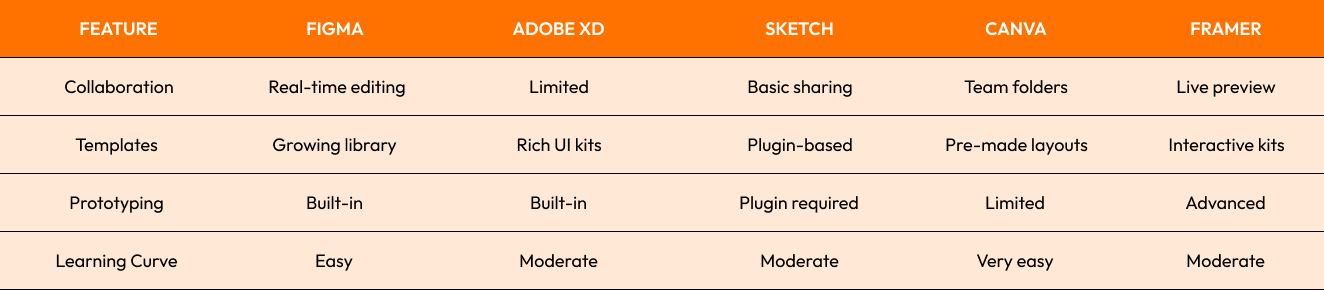
If you’re looking to stay ahead, Figma is the one tool that keeps adapting fast, something designers love about it.
Adobe XD Templates For Faster Prototyping Projects
Every designer loves tools that save time, and that’s exactly what Adobe XD templates do best. They turn rough ideas into real designs fast, whether you’re building apps, dashboards, or full websites. With ready-made UI kits, your work instantly looks clean, consistent, and professional without spending hours perfecting every tiny detail.
Small teams especially benefit from Adobe XD templates because they make designing efficient, even with tight schedules. Startups can adapt templates quickly to launch products that look polished and on-brand. For tips on avoiding common issues and improving your workflow, check Adobe guide on known fixes.
Sketch Design Tool Loved By Mac Users
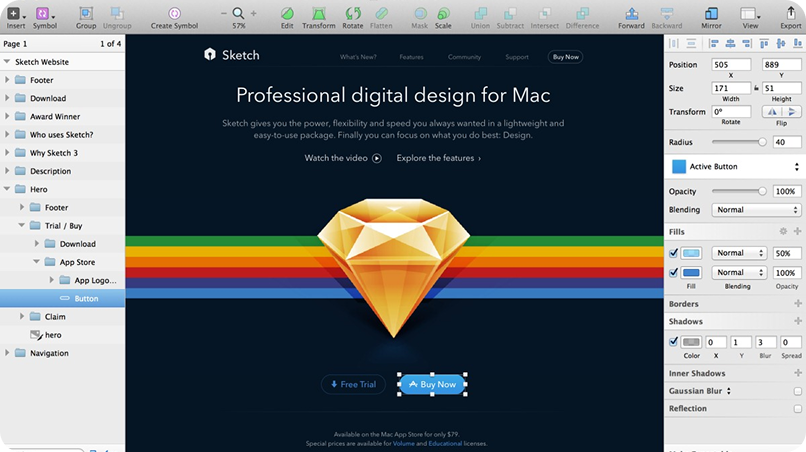
If you’re a Mac user, you’ve probably heard how much designers love sketch design tools, and for good reason. It’s light, fast, and incredibly easy to use. With clean layouts and precise vector tools, it lets designers bring ideas to life effortlessly, making every project feel professional, polished, and surprisingly fun to create.
The real magic of sketch design tools lies in its huge plugin ecosystem. From advanced prototyping to seamless developer handoff, it gives designers the flexibility to customize every step of their process. While it may lack Figma’s live collaboration, Sketch wins hearts with creative freedom, simplicity, and performance that fits independent designers perfectly.
Designers often choose Sketch design tool for:
High-quality vector design
Plugin-based workflows
Smooth performance on Mac devices
Canva Design Made Simple For Everyday Projects
Ever felt stuck trying to make your visuals look professional without spending hours on them? That’s where Canva design changes the game. It’s built for simplicity, just drag, drop, and create. Small businesses, freelancers, and even beginners love how quickly they can turn ideas into polished designs that look professional, creative, and completely on-brand.
The best part about Canva design is its massive library of templates that save both time and effort. You don’t have to start from scratch, just customize and go. Many creators use Canva for mockups, presentations, and early design ideas before moving to tools like Figma. It’s simple, powerful, and perfect for fast, creative results. Explore our UI UX design services to see how we build sleek, high-performing designs.
Framer Design Helps Create Realistic User Experiences
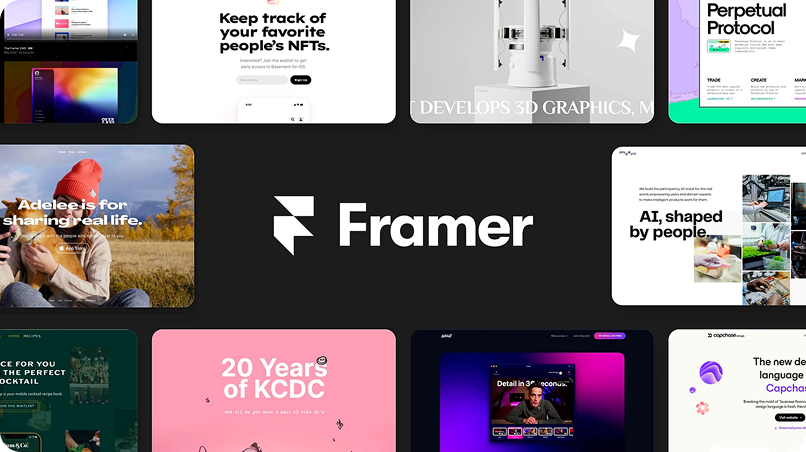
Ever wish your design prototypes could feel like real apps? That’s exactly what Framer design delivers. It lets designers add animations, transitions, and user flows that make mockups come alive. Clients love testing these interactive prototypes early, giving real-time feedback that speeds up improvements and makes every project smoother, faster, and more creative.
Another reason Framer design stands out is its seamless connection between designers and developers. Its code-friendly setup makes handoffs effortless, reducing confusion and saving time. Whether you’re refining a sleek app or a complex interface, Framer bridges creativity with functionality. Want to level up your process? Explore the Top 5 UI Design Tools of 2025 guide.
Simple Guide To Choosing The Right Tool
With so many UI design tools available, how do you pick the right one? Here’s a simple checklist:
For teamwork: Choose Figma
For quick templates: Go with Adobe XD
For Mac-first workflows: Pick Sketch
For beginners and small projects: Canva works best
For advanced prototyping: Framer leads the way
Remember, the best tool is the one that fits your team’s workflow and project needs.
Conclusion
Great design starts with the right UI design tools. From Figma’s real-time collaboration to Adobe XD’s speedy prototyping, Sketch’s precision, Canva’s simplicity, and Framer’s lifelike interactions, each tool brings something unique to the table. Exploring these options helps designers find what truly fits their workflow, creativity, and vision for every project.
The real success lies in choosing tools that match your goals. The best UI design software doesn’t just save time, it transforms ideas into experiences that stand out. Whether you’re building a new app or revamping a website, Crescentic Digital can help turn your creative vision into reality with smart design and seamless collaboration. Contact us and let’s bring your next design project to life.
Start Your Expert Consultation
Please write your name and contact information below. We will respond as soon as possible.